
Skip to content
Interioflow

Everything an interior project needs, from first quote to handover

Eight connected parts of one workspace. Each one works on its own, and together they keep the studio, the site team and the client on the same page.

Approvals

Client approvals

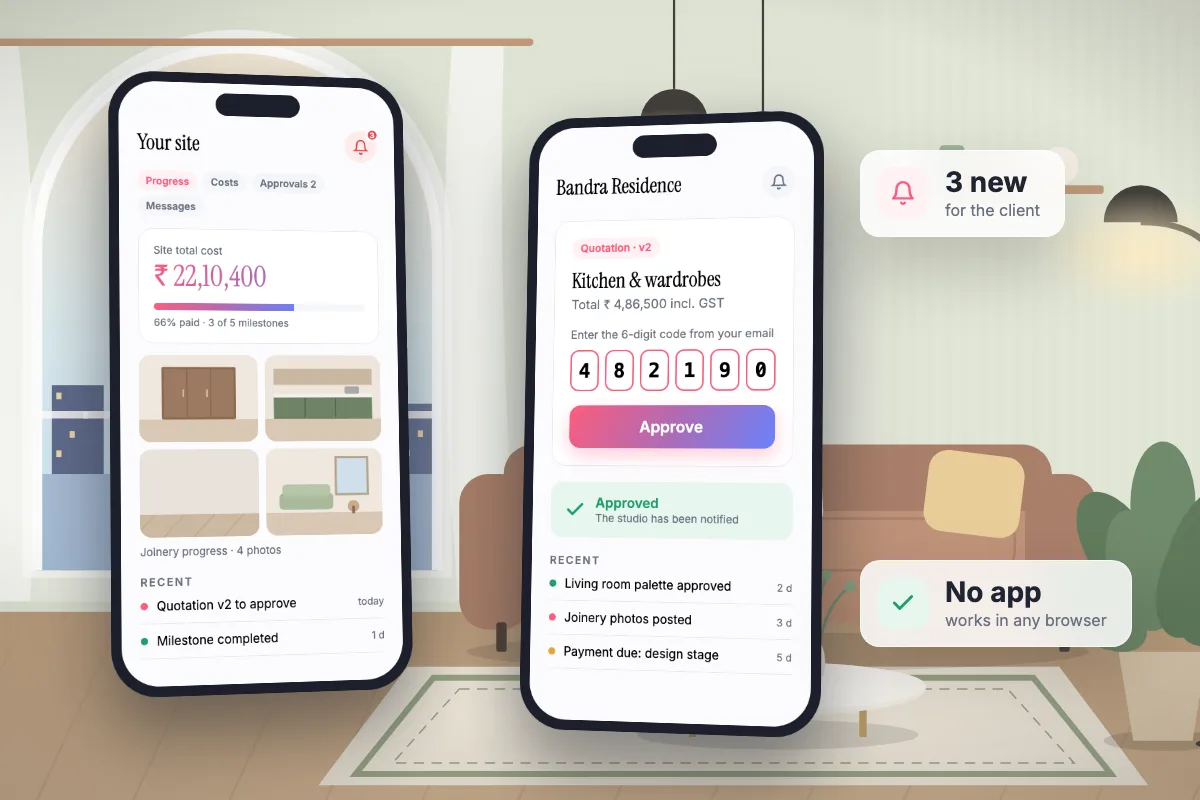
Interioflow sends every quotation, deadline change, milestone change and extra charge to the client as a clear approval request. The client approves or rejects it with a 6-digit code emailed to them, and the decision is stored against their name, the time and what exactly they agreed to.

  • Works for quotations, deadline changes, milestone changes and direct material charges
  • Codes expire after 15 minutes and can be resent
  • Nothing counts toward the site total until the client approves it
Quotations

Versioned quotations

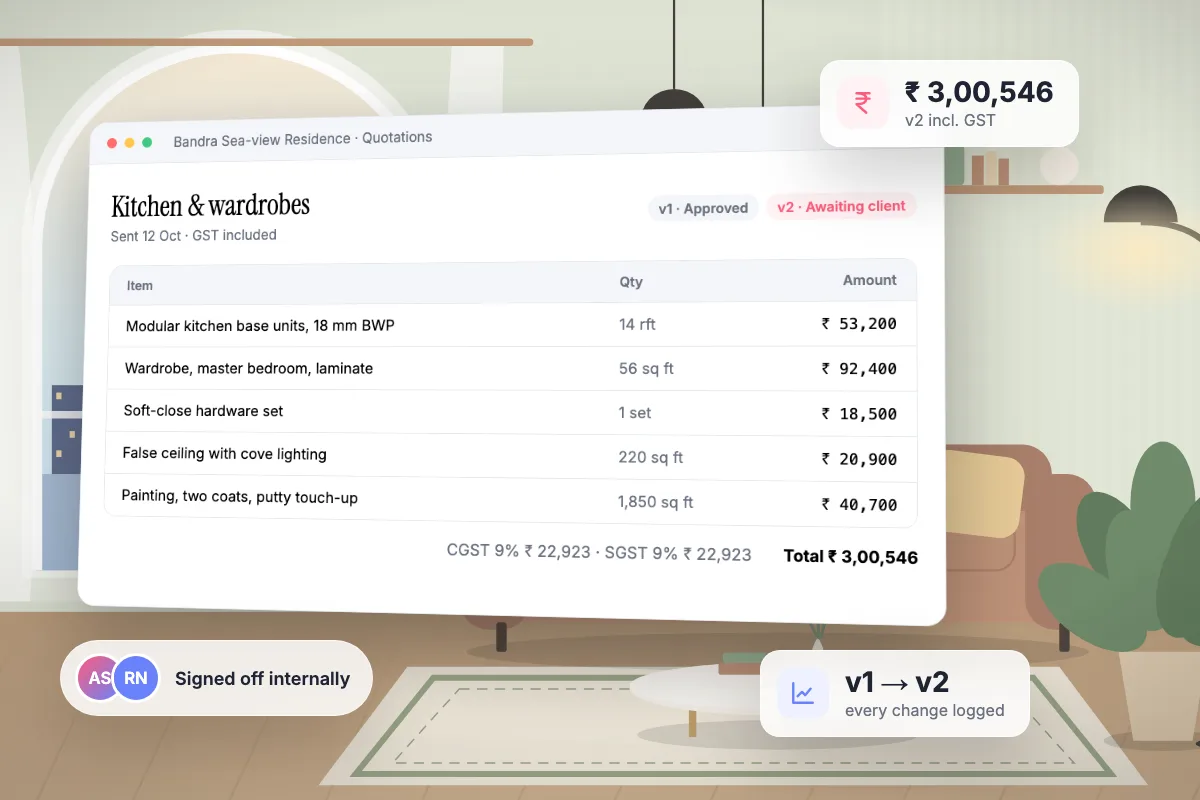
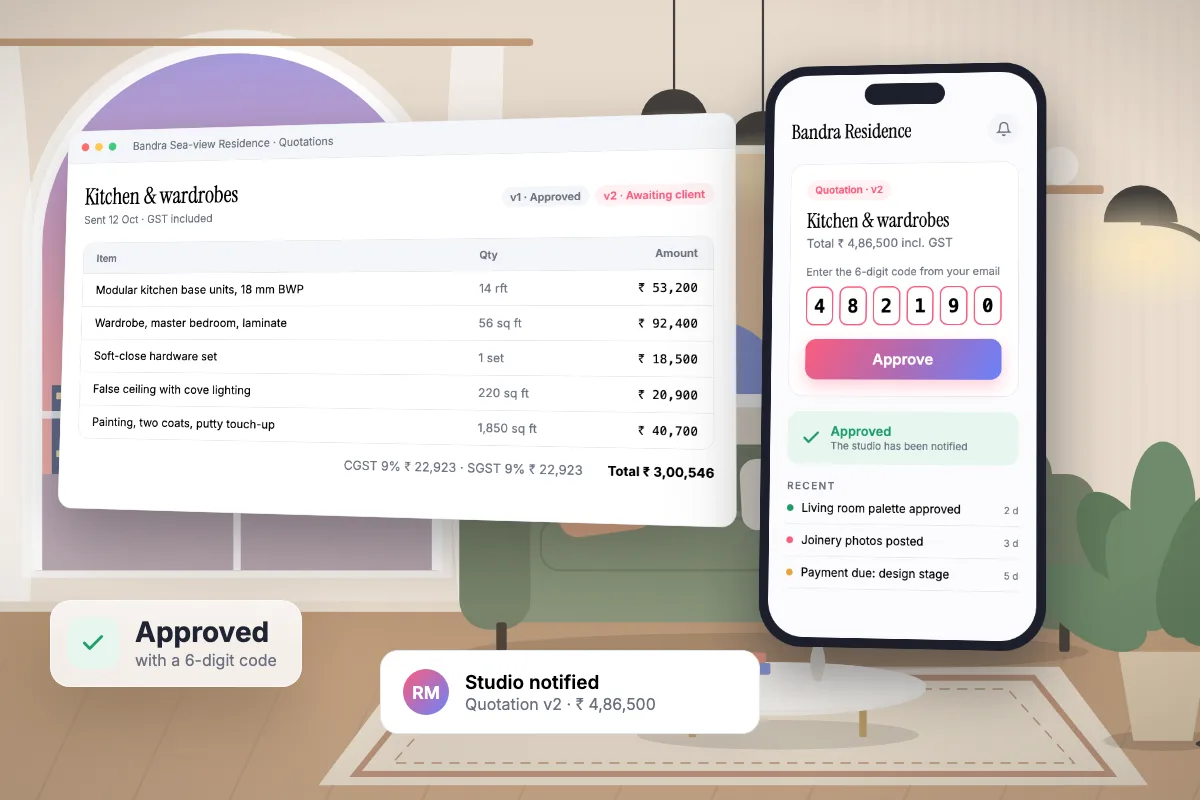
Interioflow builds quotations from the material assigned to a site, labour charges and your own custom lines, each with quantity, rate and GST. You send the client a PDF, they approve it with a code, and every revision becomes a new version with a full change log.

  • GST per line and per material
  • Additive versions: the site total is the sum of approved quotations
  • A change log of every edit, with who made it

Design sign-off

Design approvals

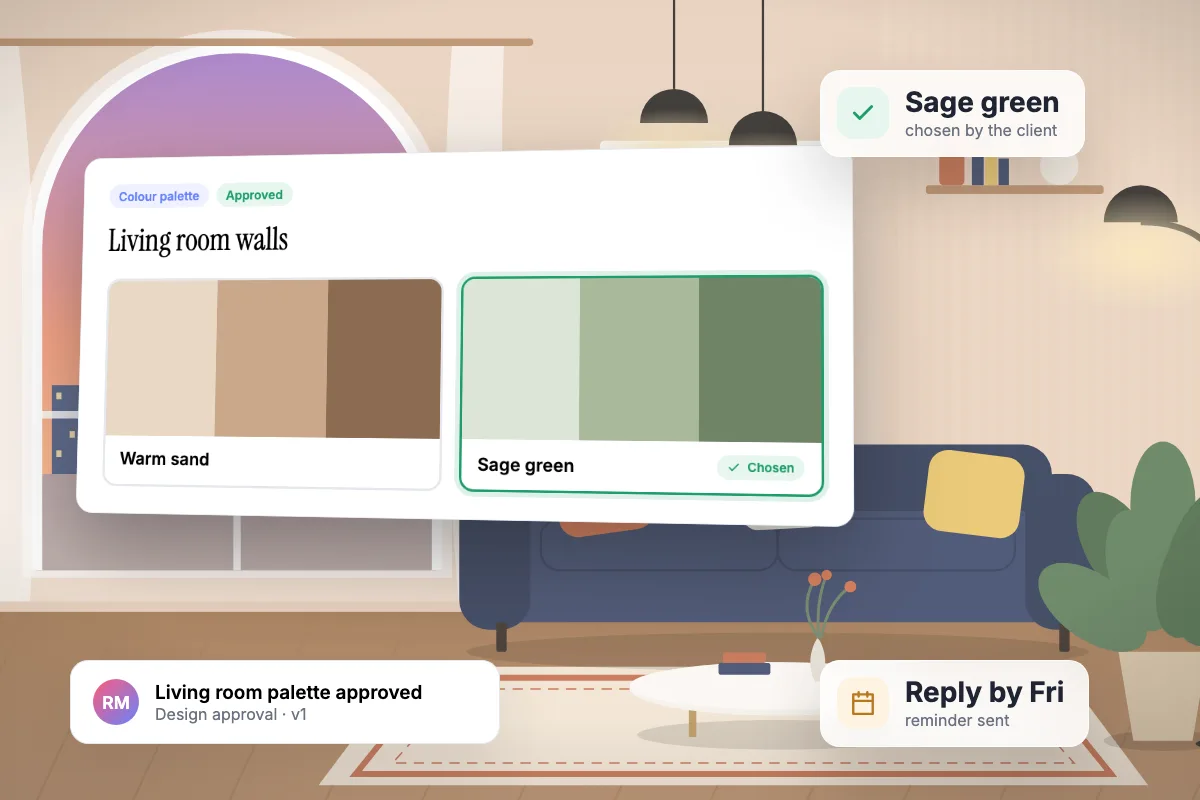
Interioflow lets you send anything that needs the client's yes before work moves: a concept, a colour palette, a layout, a finish, the agreement or the payment terms. You can offer two to six options with images, attach drawings, set a reply-by date, and the client approves, asks for changes or rejects. Every answer to every version is kept.

  • Categories for concept, mood board, colour, layout, 3D views, finishes, furniture, lighting, agreements and payment terms
  • 2 to 6 options per request, each with its own image
  • Reply-by dates with an automatic reminder the day before

Material

Material and inventory

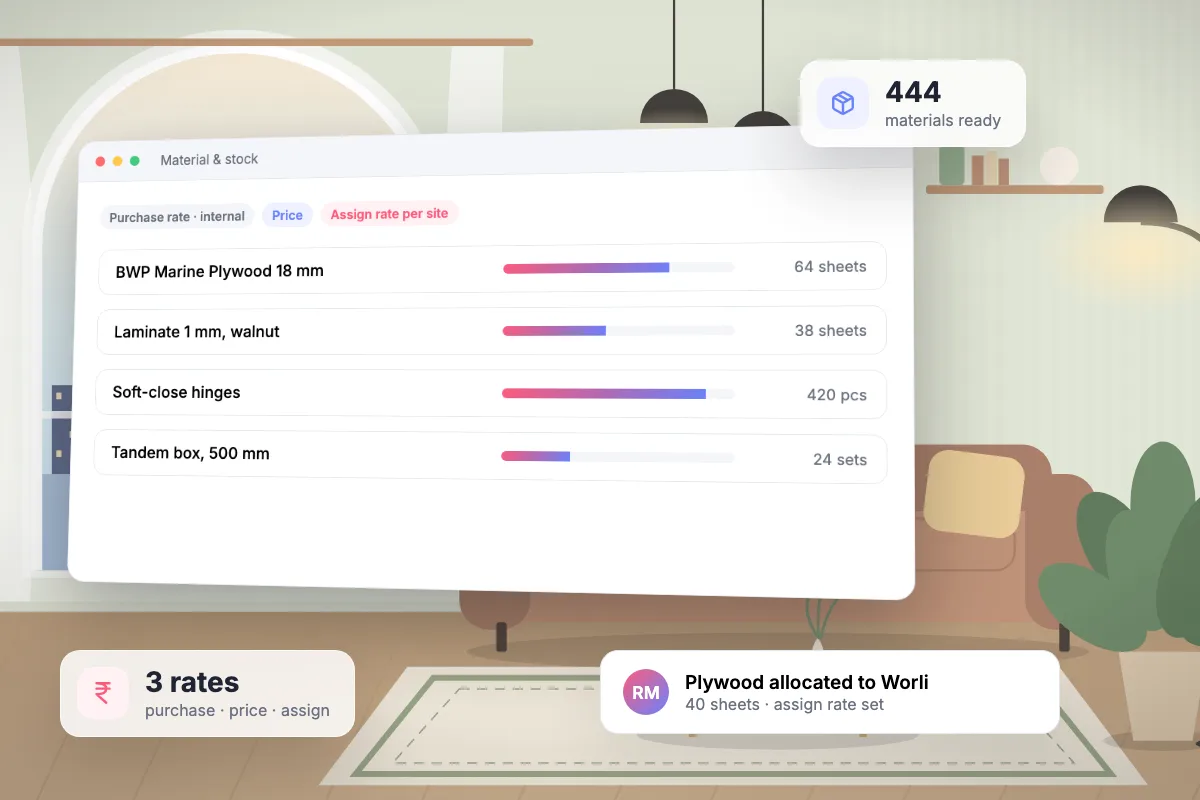
Interioflow records material received against vendor bills, keeps stock in one store, and lets you allocate it to one or many sites at a separate assign rate for each. A vendor rate book shows who sells what at which price, and the purchase rate stays visible only to the people you allow.

  • Starter catalog of 20 categories and 444 materials split by size and grade
  • Vendor rate book with minimum order, lead time and preferred vendor
  • Three separate rates: purchase rate, price and assign rate

Delivery

Site and milestone tracking

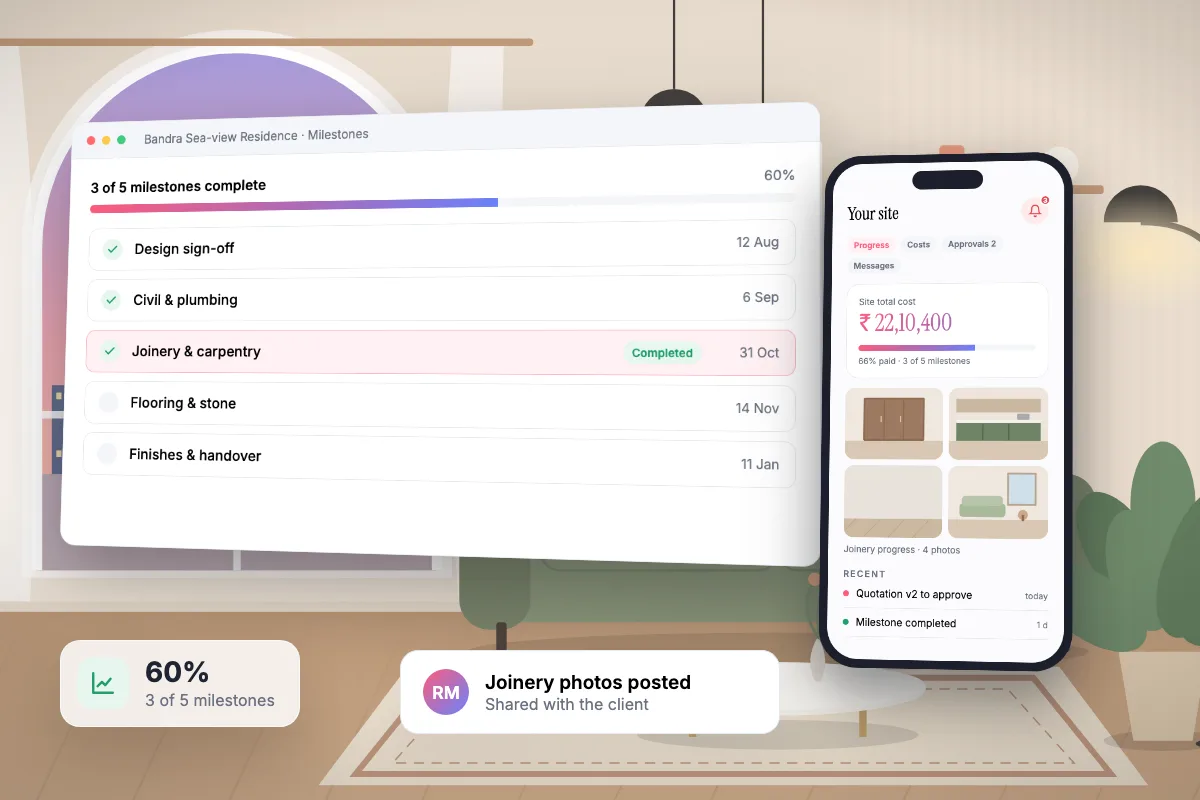
Interioflow gives every site an ordered list of milestones with dates and fees, internal sub-tasks for your team, and progress updates with photos and videos. Your client sees the milestones and progress in their portal; the sub-tasks and internal notes stay inside the studio.

  • Drag-to-reorder milestones with status from pending to completed
  • Completing a milestone can raise the linked payment automatically
  • Date changes go to the client for approval when your policy requires it

Money

Fees and payments

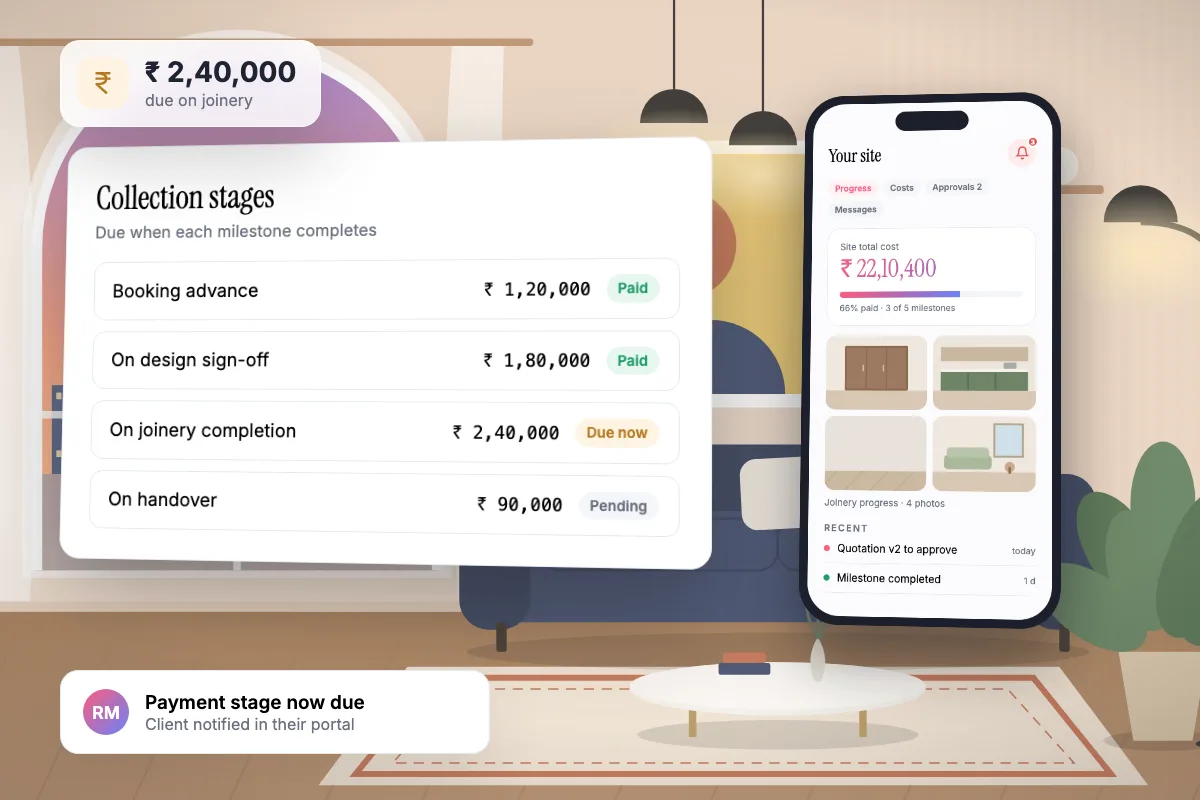
Interioflow keeps a designer fee schedule for each site, ties collection stages to milestones so payments fall due when the work is done, and records every payment against the fee or the site. You always see what is paid, pending and due.

  • Fee instalments capped by the fee earned on approved quotations
  • Additional fee items billed on top of the percentage
  • Collection stages tied to milestones

Clients

Client portal

Every client gets a portal for their own sites. They follow milestones and progress photos, see what the project costs and what is paid, read quotations, answer approvals and message the studio. Purchase rates, markup, vendors and internal tasks are never shown.

  • Progress, costs, quotations, approvals and messages in five tabs
  • Works on a phone without scrolling sideways
  • One login for a client of several studios

Team

Team and permissions

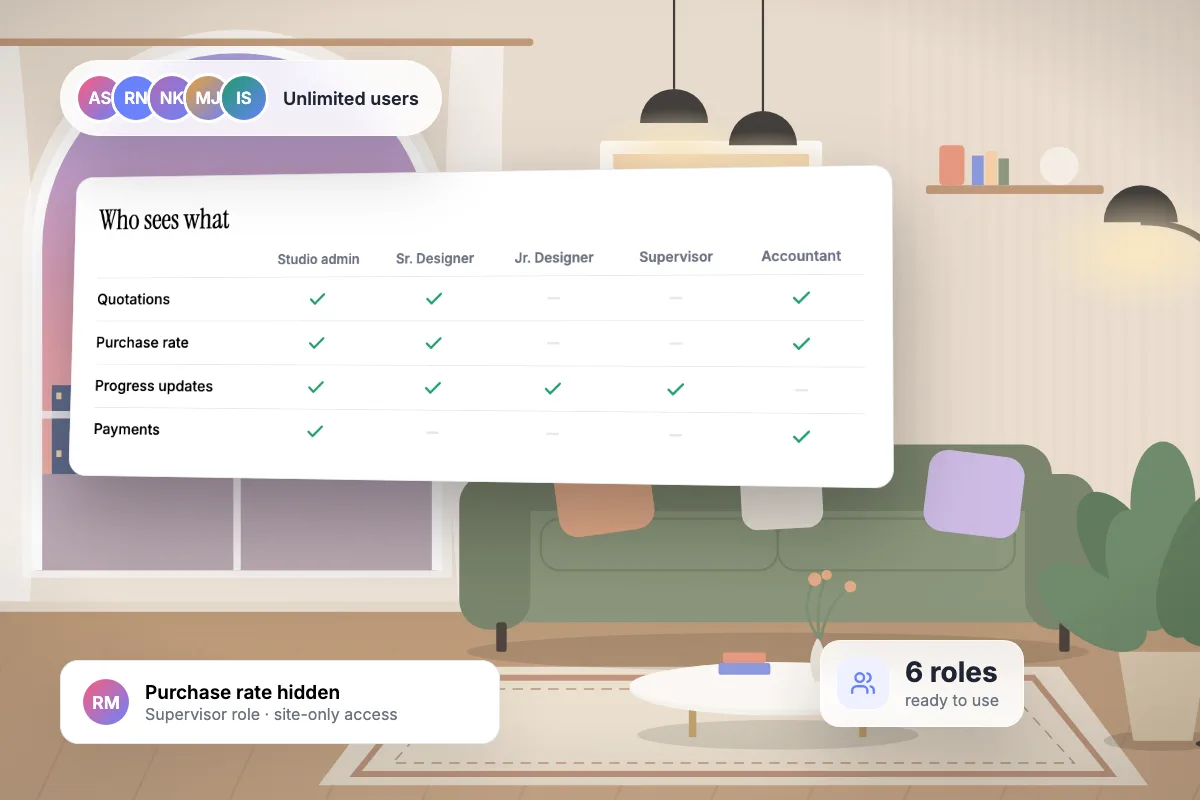
Interioflow starts every studio with ready-made roles for a senior designer, interior designer, junior designer, site supervisor and accountant. Each role holds exactly the permissions ticked on it, can be limited to assigned sites, and the purchase rate is protected by both a studio policy and a role permission.

  • Unlimited staff on every plan
  • Roles limited to assigned sites or seeing every site
  • The studio admin can never be locked out

Bring your next project into flow.

Flat per-site pricing. Unlimited users. Start with a free site.

Get started free